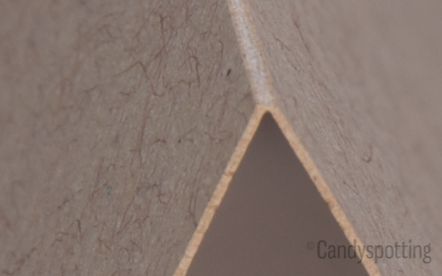
It’s surprising when a design that looks great on screen falls apart or looks completely different when laser cut. I hope you can learn from my overflowing “prototype” box by observing a few guidelines.
Print the design on paper.
When working on screen it is easy to lose touch with the scale of a design. Print it out and eliminate or thicken small design elements.
Imagine your design bending in the physical world.
Cardstock is flexible enough that thin or unsupported elements may bend or flop over. Watch for elements that can catch on envelopes or the laser bed.
The image below shows an example. When the design is first cut it looks fine. The second panel shows a weak spot; it is too easy for the design to bend out of shape. In the third panel the design has been improved by adding tiny bridges to the weak spot.

Reduce the total line length.
Think of measuring the length of a coastline. If you drew it by walking the beach adding every detail you would end up with a distance many times greater than if you drew it from a birdseye view. Try smoothing out your lines or offsetting the path to remove excess detail. On an X-Y laser, the distance the laser head travels has a close correlation to the cost.
Shadows will change how your design appears.
Particularly, the contrast on small cut areas with be greatly reduced and lines will appear thicker than on screen. In the image below the small cutouts have lost their high-contrast effectiveness compared to the original art. The thicker the paper the more pronounced this effect becomes.

Check your compound paths & mind the kerf.
Releasing compound paths may reveal problem areas that need to be bridged. Precise designs should use offset paths to account for the kerf of the laser beam.
If lining your card, leave room for adhesive.
If your design has large cut areas, you will likely want to line it with paper to ensure that the writing on the inside of the card doesn’t show on the outside. If you are using glue or a tape gun make sure to leave the width of the tape line plus some slop.
Prepare for higher failure rates with many small cutouts.
The airflow in the system may cause small cutouts to blow onto uncut portions of the design. If the double thickness causes a skipped area then the small blip may be salvaged with an Xacto knife. Alternatively, if both layers are cut and smoke gets trapped you may try gently erasing the smoke.
Consult an expert
I have made hundreds of stationery designs laser ready. Sometimes the art just needs minor adjustments and other times cut & photographed prototypes are necessary. When working to a budget I can make suggestions early in the design phase.
Candyspotting specializes in laser-cut paper. Contact me for a free estimate.